If your smart oven won’t start remotely, it’s usually not a defect—it’s often due to built-in safety requirements, connectivity issues, or app settings. At Appliance Medic Pro, we see this frequently with smart ovens from major brands that intentionally restrict remote starts for safety.
Understanding these rules will save you time and frustration.
Why Smart Ovens Have Remote-Start Limits
Unlike washers or dishwashers, ovens generate high heat, so manufacturers enforce safety checks before allowing remote operation. If any requirement isn’t met, the oven will refuse to start remotely—even if it works manually.
Most Common Reasons a Smart Oven Won’t Start Remotely
1. Door Not Confirmed Closed (Most Common)
Smart ovens require:
-
Door fully closed
-
Door switch/sensor to confirm closure
Even a slightly misaligned door will block remote start.
2. Safety Confirmation Required in the App
Many brands require:
-
A manual confirmation in the app
-
A “Remote Start Enabled” toggle
-
Periodic re-authorization
If not confirmed, the oven stays idle.
3. Oven Must Be Started Locally First
Some models require:
-
Remote mode is enabled on the control panel
-
A local button press before remote use
This is a safety compliance feature.
4. Oven Already Warm or Recently Used
From technician experience:
-
Some ovens block remote start if still warm
-
The cooling period must be completed first
This prevents accidental overheating.
5. Wi-Fi or Cloud Connection Issue
Even if the oven shows online:
-
Cloud sync delays can block commands
-
Weak Wi-Fi causes failed start commands
This is common during peak internet usage.
6. App or Firmware Outdated
Outdated software can cause:
-
Command failures
-
App shows “start sent” but nothing happens
-
Feature mismatch after updates
7. Child Lock or Control Lock Enabled
If Control Lock is active:
-
Remote commands are ignored
-
Oven appears unresponsive in the app
Step-by-Step Fixes to Try
✅ Fully close and reopen the oven door
✅ Check and disable Control Lock
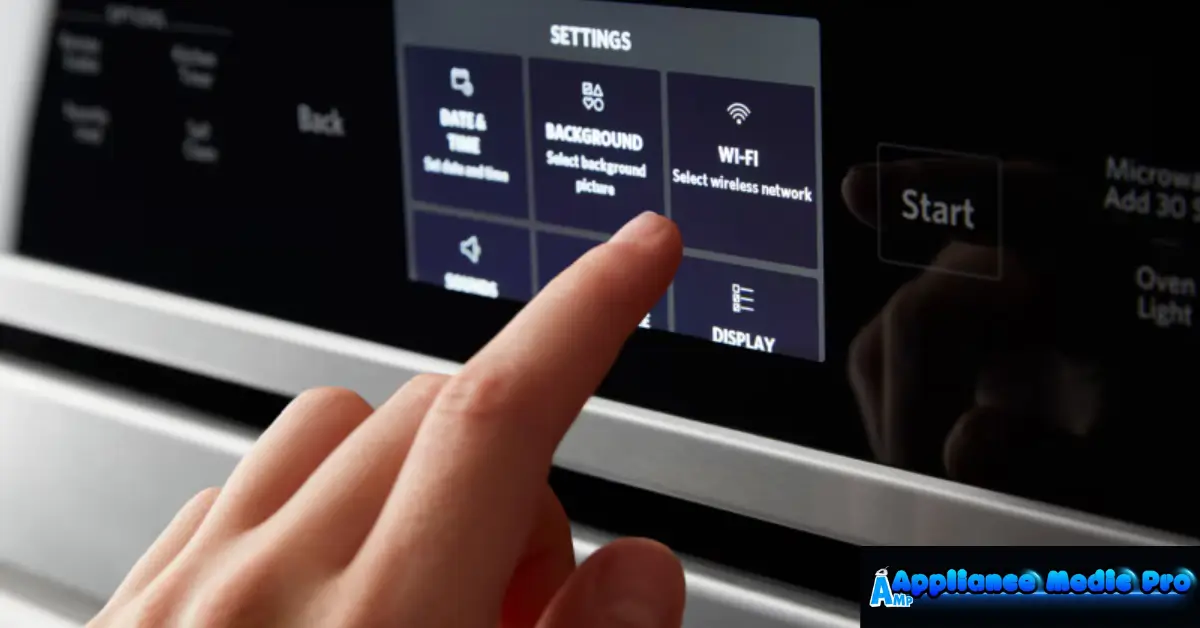
✅ Enable “Remote Start” in oven settings
✅ Confirm remote permission inside the app
✅ Restart the oven (power off 2–5 minutes)
✅ Restart Wi-Fi router
✅ Update oven firmware and mobile app
❌ Don’t force repeated remote starts
❌ Don’t assume the oven is broken
❌ Don’t bypass safety features
When It’s a Hardware Problem
Less common, but possible:
-
Faulty door switch
-
Failed Wi-Fi module
-
Control board communication error
These require professional diagnosis.
When to Call Appliance Medic Pro
Call us if:
-
Remote start never works, even after setup
-
Door sensor errors appear
-
The oven randomly goes offline
-
The oven is under warranty and needs service documentation
We’ll determine whether it’s software, safety logic, or hardware.
Typical Repair Costs (Guidance)
Approximate ranges:
-
Diagnostic service: $120–$200
-
Door switch replacement: $150–$350
-
Wi-Fi module repair: $200–$450
-
Control board replacement: $350–$900
Many cases are resolved without part replacement.
How to Prevent Remote Start Issues
From technician experience:
-
Keep apps and firmware updated
-
Maintain a strong Wi-Fi signal in the kitchen
-
Avoid slamming the oven door
-
Reconfirm remote permissions after updates
Frequently Asked Questions
Q: Is it normal that my smart oven won’t start remotely?
A: Yes. Many models require safety confirmation or local activation first.
Q: Why does the app say “command sent,” but nothing happens?
A: Usually a safety lock, door sensor issue, or cloud sync delay.
Q: Can all smart ovens start remotely?
A: No. Some models limit remote start by design for safety reasons.