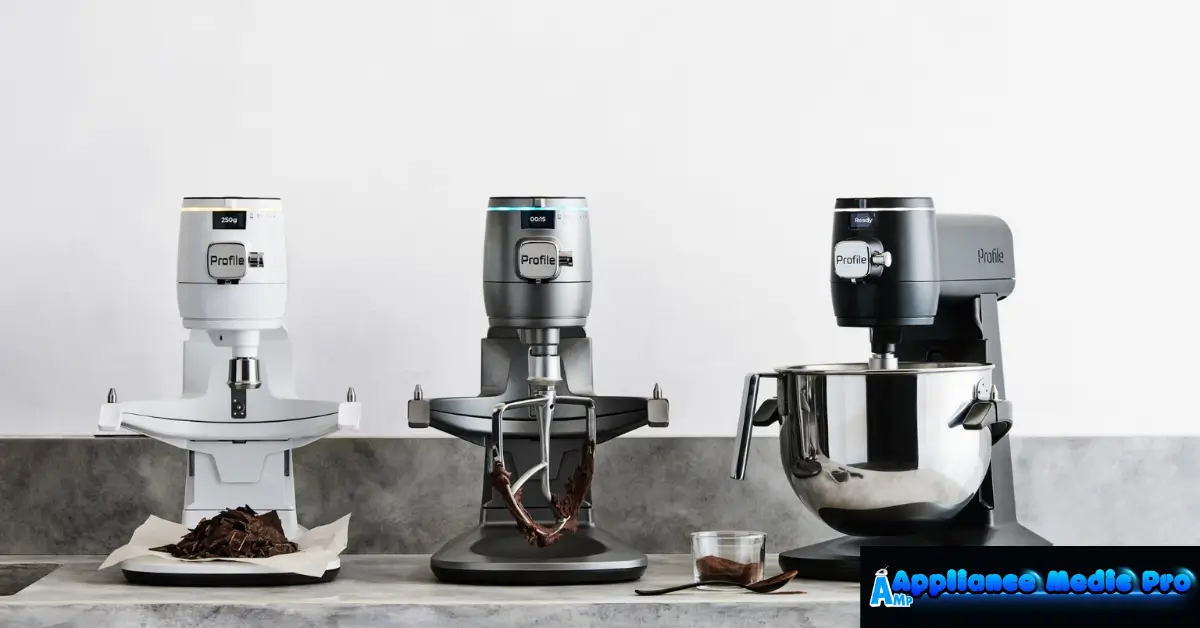
The GE smart mixer is a modern kitchen appliance designed to make baking and cooking easier using smart sensors and automated mixing control. At Appliance Medic Pro, we’re seeing more service questions about smart mixers as homeowners upgrade to connected and sensor-based kitchen appliances.
This guide explains how GE smart mixers work, common issues users experience, and how to keep the mixer running smoothly.
What Is a GE Smart Mixer?
A GE smart mixer is a stand mixer with built-in smart technology that can:
-
Automatically adjust mixing speed
-
Sense dough consistency
-
Prevent overmixing
-
Improve consistency for baking
Some models integrate with smart features like guided recipes or auto-sensing modes.
Key Features of GE Smart Mixers
1. Auto-Sense Mixing Technology
From hands-on experience, this feature:
-
Detects resistance changes
-
Adjusts speed automatically
-
Helps prevent motor strain
This is especially useful for doughs and thick batters.
2. Variable Speed Control
GE smart mixers offer:
-
Precise low-speed starts
-
Smooth speed transitions
-
Reduced splatter compared to older mixers
3. High-Torque Motor Design
Compared to standard mixers:
-
Handles dense dough better
-
Runs cooler under load
-
Reduces sudden shutdowns
4. Smart Safety Shutoff
If the mixer:
-
Overheats
-
Detects overload
-
Encounters jammed attachments
The system may shut down automatically to protect the motor.
Common GE Smart Mixer Problems We See
1. Mixer Stops Mid-Use
This is usually caused by:
-
Overloaded bowl
-
Very stiff dough
-
Extended continuous mixing
✅ Let the mixer cool for 10–15 minutes and reduce batch size.
2. Speed Not Responding Properly
Possible causes:
-
Sensor misreading due to thick ingredients
-
Software-controlled speed limits
-
Worn control knob (on older units)
3. Unusual Noise or Vibration
From service inspections, this often points to:
-
Loose attachments
-
Unbalanced bowl contents
-
Early gear wear (rare, but possible)
Stop use if grinding or clicking sounds appear.
4. Attachment Not Spinning Smoothly
This may happen if:
-
Attachment isn’t seated properly
-
The dough is too stiff
-
The internal clutch is slipping
Avoid forcing the mixer—this can damage internal gears.
Safe Troubleshooting You Can Do at Home
✅ Reduce ingredient load
✅ Use the correct attachment for the recipe
✅ Allow cooling time between batches
✅ Ensure the bowl and attachment are locked properly
✅ Clean sensors and vents after use
❌ Do not open the housing or bypass safety shutoffs
Maintenance Tips to Extend Mixer Life
From technician experience:
-
Clean after every use
-
Avoid overloading with bread dough
-
Let the mixer rest during long recipes
-
Store attachments dry and clean
-
Keep vents dust-free
Smart mixers last much longer when not pushed beyond design limits.
Repair vs Replacement (What to Expect)
Typical guidance:
-
Sensor or control issues: Professional inspection recommended
-
Gear or motor damage: Repair cost varies
-
Older units with repeated shutdowns: Replacement may be smarter
We always advise based on cost vs long-term reliability.
Frequently Asked Questions
Q: Is a GE smart mixer better than a regular stand mixer?
A: For consistent baking and dough control, yes—especially for beginners.
Q: Why does my GE Smart Mixer stop automatically?
A: Usually due to overload or overheating protection.
Q: Can smart mixer electronics be repaired?
A: Some issues can be repaired, but many are board-related and model-specific.