Modern ovens use an electronic control board to manage temperature, timers, and heating elements. When the oven stops responding, shows error codes, or behaves strangely, resetting the oven control board is often the first troubleshooting step.
From real appliance repair experience, many oven problems can be fixed with a simple reset before replacing expensive parts.
Signs Your Oven Control Board Needs a Reset
You may need to reset your oven if you notice:
-
The oven display is frozen or unresponsive
-
Buttons are not working properly
-
The oven shows random error codes
-
The oven turns off unexpectedly
-
Temperature settings are not responding
A reset clears temporary electronic glitches and restores the oven’s normal operation.
Method 1: Power Cycle Reset (Most Common Fix)
This is the easiest and safest way to reset the oven control board.
Step-by-Step Instructions
-
Turn off the oven using the control panel.
-
Unplug the oven from the wall outlet.
If the oven is hardwired:
-
Turn off the circuit breaker that powers the oven.
-
Leave the oven without power for 5–10 minutes.
-
Restore power by plugging it back in or switching the breaker on.
-
Turn the oven on and test its functions.
This process allows the control board to completely reset.
Method 2: Reset Using the Oven Control Panel
Some ovens have built-in reset functions.
Try these steps:
-
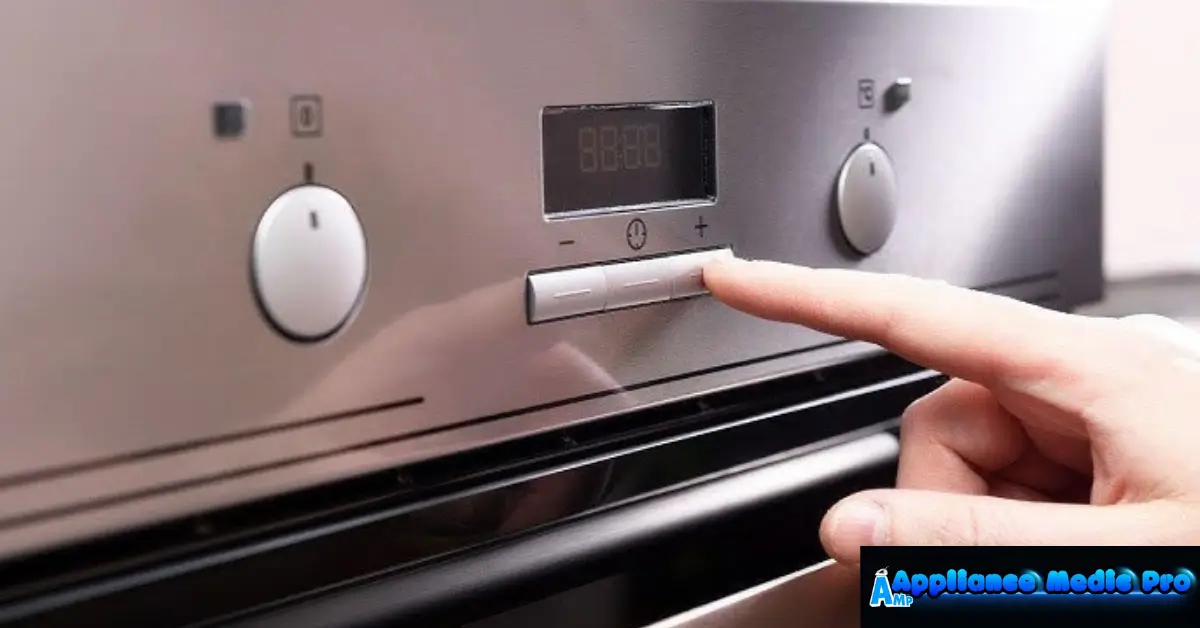
Press and hold the Cancel or Clear button for about 5 seconds.
-
Wait for the display to reset.
-
Restart the oven.
Different brands may use slightly different reset procedures.
Method 3: Reset After an Error Code
If your oven displays an error code:
-
Turn off the oven.
-
Disconnect power for 10 minutes.
-
Restore power and clear the error code.
-
Test the oven heating function.
If the error code returns, the problem may involve a sensor, heating element, or wiring issue.
Common Causes of Oven Control Board Glitches
From real appliance service experience, these issues often trigger control board problems:
Power Surges
Sudden electrical spikes can cause the control board to freeze.
Loose Wiring
Connections inside the oven may loosen over time.
Overheating
Poor ventilation or blocked airflow can cause electronic failures.
Faulty Temperature Sensor
Incorrect temperature readings can confuse the control board.
When Resetting the Oven Doesn’t Work
If resetting the oven control board does not solve the problem, the issue may be more serious.
Possible causes include:
-
Failed oven control board
-
Broken temperature sensor
-
Damaged heating element
-
Faulty wiring harness
These problems usually require professional appliance repair.
Safety Tips Before Resetting an Oven
Always follow these safety precautions:
✔ Turn off the power before working on the oven
✔ Never touch internal wiring without proper training
✔ Allow the oven to cool completely
✔ Avoid repeated resets if error codes persist
Safety should always come first when dealing with electrical appliances.
Preventing Future Oven Control Board Problems
You can reduce electronic issues by following these tips:
-
Use a surge protector for appliances
-
Keep oven vents clean
-
Avoid slamming the oven door
-
Clean the control panel regularly
-
Schedule appliance maintenance when needed
Regular care helps extend the life of your oven’s electronic components.
Frequently Asked Questions
How long should I unplug the oven to reset it?
Most ovens require 5–10 minutes without power for a complete reset.
Will resetting the oven erase settings?
Yes. Clock and timer settings may need to be set again after a reset.
Why does my oven keep showing error codes?
Persistent error codes usually indicate a faulty sensor, wiring problem, or control board failure.
Can I replace an oven control board myself?
Replacing a control board requires electrical knowledge and should usually be handled by a professional technician.